Thank You
Thank you for signing up for a free trial. Please check your email to complete your registration. If you did not receive the email, please contact us at 1-888-825-4258.
Free Trial Signup
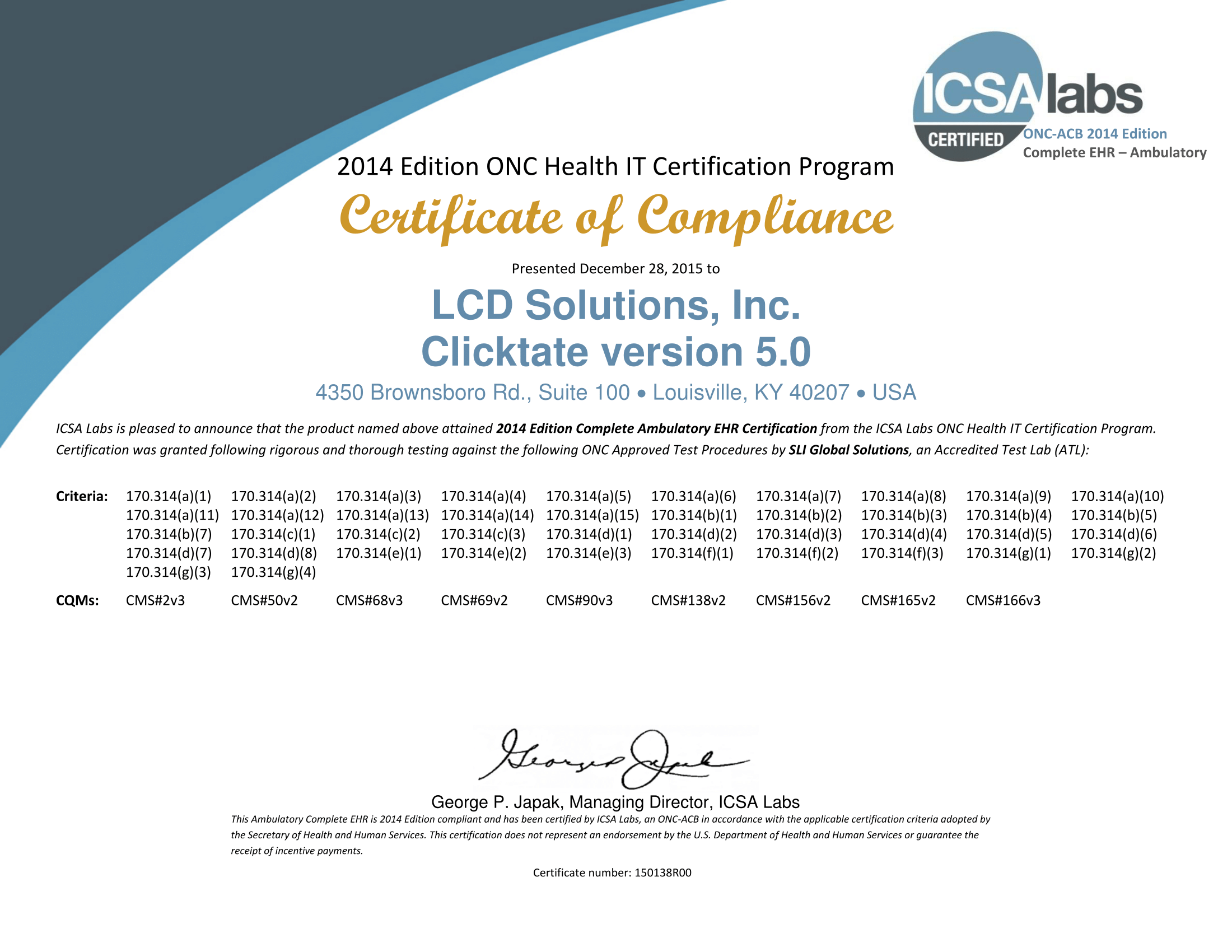
Certification
This Complete EHR is 2014 Edition compliant and has been certified by an ONC-ACB in accordance with the applicable certification criteria adopted by the Secretary of Health and Human Services. This certification does not represent an endorsement by the U.S. Department of Health and Human Services
Additional types of costs users may incur to implement or use health IT for any purpose within the scope of its certification: None (there is a set-up cost per provider for Electronic Prescribing of Controlled Substances).
Limitations (including contractual, technical, or other limitations) that are likely to limit a user's ability to implement or use health IT for any purpose within the scope of its certification: None
|
|
Contact Us
Cerberus Healthcare, LLC
PO Box 6067 |
|
Support Line1-888-8CLICK8 (1-888-825-4258) |
Terms of Service
Clicktate.com is a medical documentation, management and medical record tool only. It is designed to assist the user with the creation of medical office notes, the creation and maintenance of patient records, the facilitation of processes that a medical provider would use to administer patient care on a day to day basis, and certain administrative functions that are part of the normal running of a medical practice. It is not meant to replace the knowledge, experience, sound clinical judgment, and expertise of a medical provider. It is not a diagnostic tool, nor is it meant to suggest a diagnosis based upon default settings which may appear in notes. It is not a tool to assist in or suggest a course of therapy.
Nothing contained in Clicktate.com is intended to be instructional or for medical diagnosis and/or treatment, nor is the information in Clicktate.com intended to provide advice on coding or billing. The information in Clicktate.com should not be considered complete. The information in Clicktate.com should not be consulted with or relied upon to suggest a course of treatment for a particular individual or a particular disease condition. It should not be used in place of a medical visit, call, consultation or the advice of a physician or other qualified health care provider. Information obtained in Clicktate.com is not exhaustive and does not cover all diseases and physical conditions or their treatment.
It is the responsibility of each user of Clicktate.com to ensure the accuracy of patient demographic information including but not limited to name, address, phone number, contact information, preferred contact information, advanced directive information, insurance information and chart restrictions. Clicktate.com has no way to track or realize changes in the contact information for each patient. As such, Cerberus Healthcare, Inc. and Clicktate.com make no warranty as to the reliability, accuracy, timeliness, usefulness, adequacy, suitability or completeness of patient demographics and other patient information for any purpose. It is strongly recommended that each office and provider utilizing Clicktate.com establish practices to ensure the accuracy and up to date nature of patient demographic information for each patient during each contact with that patient.
Cerberus Healthcare, Inc. and Clicktate.com also have no control over the information that is sent to patients or the method with which that information is sent to patients and therefore Cerberus Healthcare, Inc. and Clicktate.com take no responsibility for the information that is provided to patients by providers and the method with which that information is shared. It is recommended that each office and provider utilizing Clicktate.com establish practices to ensure the accuracy and up to date nature of patient preferred contact methods as well as patient demographic data and other patient information and to ensure that this data and the methods of using this data are appropriately utilized.
It is the responsibility of each user of Clicktate.com to ensure the accuracy of patient diagnostic information found in Clicktate.com. Clicktate.com is designed to assist users by automatically populating the patient facesheet with diagnoses placed by providers into signed and locked notes, but Cerberus Healthcare, Inc. and Clicktate.com make no warranty as to the reliability, accuracy, timeliness, usefulness, adequacy, suitability or completeness for any purpose. Cerberus Healthcare, Inc. and Clicktate.com have no way of diagnosing patient conditions, determining or knowing changes in the diagnoses of patients, or tracking the status of patient diagnoses. All diagnoses are populated to the patient facesheet with a status of “Active”. It is the responsibility of each provider to develop methods and workflows to determine the accuracy of and ensure that diagnoses and diagnoses statuses are up to date.
Providers should be aware that patients who utilize the patient portal feature of Clicktate.com have access to their diagnosis list, and providers should ensure that patients are aware of the information contained in the diagnosis list.
Clicktate.com templates will at times automatically insert a diagnosis into a note and onto a facesheet at the time of the signing and locking of a patient note. The diagnoses inserted into notes by default are not to be construed as a suggestion for a diagnosis for a patient, nor are the default plans meant to suggest a course of treatment. Each provider MUST use clinical judgment as they evaluate and manage patients, including diagnosing and treating illnesses. Clicktate.com DOES NOT replace the knowledge, training and experience of a healthcare professional and MUST NOT be used to replace this knowledge in the diagnosis and treatment of patients.
The medical documentation section (the “Console”) of Clicktate.com is designed to allow providers to quickly and accurately document patient encounters. Predesigned templates may contain items that are not relevant to a particular patient and/or items which were not performed in the course of an office visit. Cerberus Healthcare, Inc. and Clicktate.com make no warranty as to the reliability, accuracy, timeliness, usefulness, adequacy, suitability or completeness for any purpose. Cerberus Healthcare, Inc. and Clicktate.com have no way to determine what history items, physical exam items and other historical issues were reviewed with a particular patient during a particular visit. As such, it is important that providers be aware of the contents of the notes found in the Clicktate.com console and utilize Clicktate.com features to delete any historical items, physical exam items, laboratory data, radiologic data, diagnoses, procedures, plans or time elements from pre-populated templates which were not performed in the course of the patient encounter. Failure to do so may result in inaccuracies of patient medical data as well as billing and coding inaccuracies.
It is the responsibility of each user of Clicktate.com to ensure the accuracy of patient medication and allergy information found in the patient electronic record. Clicktate.com is designed to assist users by automatically inserting documented medications and allergies onto the patient Facesheet, but Cerberus Healthcare, Inc. and Clicktate.com make no warranty as to the reliability, accuracy, timeliness, usefulness, adequacy, suitability or completeness for any purpose. Cerberus Healthcare, Inc. and Clicktate.com have no way of determining or knowing changes in the medications and allergies of patients. As such, it is the responsibility of each provider to develop methods and workflows to determine the accuracy of and ensure that medications and allergy information are up to date. Providers are also encouraged to develop internal workflows to review Drug-Drug, Drug-Allergy and Drug-Disease interaction at the point of service.
Providers should also be aware that patients who utilize the patient portal feature have access to their medication and allergy lists and providers should ensure that patients are aware of the information contained in the medication and allergy lists. In addition, a separate “terms of service” agreement is provided when providers initially log-in to the electronic prescribing system. These separate electronic prescribing terms of service are also binding to this agreement. It is the responsibility of each provider to know the indications for each medication and prescribe medications appropriately. It is the responsibility of each provider to be knowledgeable regarding the uses, interactions and possible side effects for each medication prescribed. Cerberus Healthcare, Inc. and Clicktate.com take no responsibility for any medication prescribed, side effects, interactions or other adverse events associated with the prescribing of medications from within the system. In addition, no item found within the Clicktate.com system is meant to imply the appropriateness of a medication for a particular purpose, nor is any item found in Clicktate.com meant to suggest a particular medication for any particular purpose. Cerberus Healthcare, Inc. and Clicktate.com assume no responsibility for any medication prescribed or any adverse event associated with a prescribed medication.
Electronic refill requests generated by pharmacies and sent electronically to the prescriber do not always exactly match the patient demographics found in the Clicktate.com patient record. Clicktate.com will make an attempt to match the pharmacy refill request to what is considered to be the most appropriate match in the appropriate provider or facility Clicktate.com patient database. It is the responsibility of anyone refilling a prescription to ensure the accuracy of the patient matched to the refill request, and to select a different patient if the patient found is not the correct patient. Cerberus Healthcare, Inc. and Clicktate.com can take no responsibility for the accuracy of patients matched to pharmacy requests or the medications requested by the pharmacy. It is recommended that each office and provider utilizing Clicktate.com establish practices and procedures to ensure the accuracy, up to date nature of information contained in pharmacy requests and the accuracy of patient mapping to the provider or facility Clicktate.com patient database.
It is the responsibility of each user of Clicktate.com to ensure the accuracy of patient immunization information found in the patient electronic record. Cerberus Healthcare, Inc. and Clicktate.com make no warranty as to the reliability, accuracy, timeliness, usefulness, adequacy, suitability or completeness for any purpose. Cerberus Healthcare, Inc. and Clicktate.com have no way of determining or knowing changes in the immunization status of patients. As such, it is the responsibility of each provider to develop methods and workflows to determine the accuracy of and ensure that immunization information is up to date.
Providers should also be aware that patients who utilize the patient portal feature have access to their immunization record and providers should ensure that patients are aware of the information contained in the immunization record. It is the responsibility of each provider to know the indications for each immunization and prescribe immunizations appropriately. It is the responsibility of each provider to be knowledgeable regarding the uses, interactions and possible side effects for each immunization prescribed. Cerberus Healthcare, Inc. and Clicktate.com take no responsibility for any immunization administered, side effects, interactions or other adverse events associated with the administration of immunizations. In addition, it is the responsibility of each user of Clicktate.com to ensure that patients are provided current and up to date Vaccination Information Statements (VIS) for each immunization provided. The immunization module in Clicktate.com links to other sites for vaccination information (non-patient related) including immunization schedules and Vaccine Information Statements. Cerberus Healthcare, Inc. and Clicktate.com take no responsibility for the accuracy of this information, the content of this information or the completeness of the information gathered or presented from other sources.
The information contained in the Clinical Decision Support area of Clicktate.com is intended to assist the practitioner in the care of patients. It is not intended to be a complete source of information regarding suggested tests or procedures for any individual patient. Because clinical guidelines change from time to time and because clinical guidelines vary from source to source, the recommendations in the Clinical Decision Support area of Clicktate.com are intended to be general guidelines and are not intended to be conclusive or definitive treatment or monitoring guidelines for any patient, disease, prevention or process. It is the responsibility of each user of Clicktate.com to be aware of the appropriate indications for each test or procedure in the context of the conditions, diseases, medications and demographics of each individual patient. It is the responsibility of each user of Clicktate.com to order tests and procedures appropriately and to be aware of the appropriate use of each test or procedure.
The items in the Clinical Decision Support section may be deleted, customized and altered as individual providers deem appropriate for each patient, and it is the responsibility of each provider to be aware of the use of these features and the methods to update and change, as appropriate, the Clinical Decision Support suggestions for each patient. Cerberus Healthcare, Inc. and Clicktate.com make no warranty as to the reliability, accuracy, timeliness, usefulness, adequacy, suitability or completeness for any purpose. As such, it is the responsibility of each provider to develop methods and workflows to determine the accuracy of and ensure that Clinical Decision Support information is up to date. Cerberus Healthcare, Inc. and Clicktate.com take no responsibility for any Clinical Decision Support rule made or utilized in the Clinical Decision support section of Clicktate.com.
The Clicktate.com Clinical Decision Support module also offers a system to suggest past due tests and health maintenance procedures. This system is dependent upon the accuracy and timeliness of information placed into the Clicktate.com system. Cerberus Healthcare, Inc. and Clicktate.com have no way of ensuring the accuracy of information placed into the system. In addition, Cerberus Healthcare, Inc. and Clicktate.com have no way to monitor the individual patient characteristics that may or may not make a given test appropriate for each patient. The “due list” found in the clinical decision support module of Clicktate.com should in no way be considered an all encompassing list of every test due for a practice or patient. As such, each provider and office should develop workflows to assure and monitor the accuracy of this information.
It is the responsibility of each user of Clicktate.com to ensure the accuracy of patient orders found in Clicktate.com. Clicktate.com is designed to assist users by automatically generating orders and saving these orders onto the patient Facesheet and into the Order Entry and Tracking system, but Cerberus Healthcare, Inc. and Clicktate.com make no warranty as to the reliability, accuracy, timeliness, usefulness, adequacy, suitability or completeness for any purpose. Cerberus Healthcare, Inc. and Clicktate.com have no way of determining or knowing changes in the order status of patients other than automatically closing orders that have been received and entered into the system. Cerberus Healthcare, Inc. and Clicktate.com make no warranty as to the reliability, accuracy, timeliness, usefulness, adequacy, suitability or completeness for any purpose. As such, it is the responsibility of each provider to develop methods and workflows to determine the accuracy of and ensure that orders and order tracking items are up to date.
In addition, Clicktate.com templates will at times automatically insert an order into a note and onto a facesheet at the time that the order entry is triggered. The orders, treatments and tests inserted into notes by default are not to be construed as a suggestion for a test or treatment, nor are the default plans meant to suggest a course of treatment. Each provider MUST use clinical judgment as they evaluate and manage patients, including diagnosing and treating illnesses. Clicktate.com DOES NOT replace the knowledge, training and experience of a healthcare professional and MUST NOT be used to replace this knowledge in the treatment of patients which includes, but is not limited to, the ordering of tests. Cerberus Healthcare, Inc. and Clicktate.com assume no responsibility or liability for treatment plans and orders placed into Clicktate.com either automatically or via a user input.
Clicktate Online Access is a medical information and information exchange tool only. It is designed to assist patients by allowing them to review their medical information, to receive communications from their healthcare provider and to allow patients to communicate information to and request information from their healthcare provider. It is not meant to replace the knowledge, experience, sound clinical judgment, and expertise of a medical provider. It is not a diagnostic tool, nor is it meant to suggest a diagnosis or treatment for any disease, malady or condition. It is not a tool to assist in or suggest a course of therapy. The Patient Portal cannot and should not be used in lieu of an office visit and physical examination by a provider. Cerberus Healthcare, Inc. and Clicktate.com take no responsibility for information obtained from the patient portal including the completeness, accuracy or suitability for any purpose.
Nothing contained in Clicktate Online Access is intended to be instructional for medical diagnosis or treatment. The information in Clicktate Online Access should not be considered complete, nor should it be relied upon to suggest a course of treatment for a particular individual. It should not be used in place of a visit, call, consultation or the advice of a physician or other qualified health care provider. Information obtained in Clicktate Online Access is not exhaustive and does not cover all diseases and physical conditions or their treatment.
Information contained in Clicktate Online Access is “AS ENTERED” by the physician, provider and medical office staff of a patient. The information is not obtained by Clicktate Online Access or Clicktate.com from any other source and as such Cerberus Healthcare, Inc., Clicktate.com and Clicktate Online Access are not responsible for the accurateness or completeness of the information. The information contained in Clicktate Online Access is NOT considered a part of a patient’s medical record and information contained therein should not be used to decide on a course of treatment without first assuring its accuracy. Patient access to Clicktate Online Access may however be retained by the physician office as a part of the medical record and for audit purposes. Messages sent by patients to providers and by providers to patients WILL be saved in Clicktate.com as a part of the patient’s medical record.
Laboratory results generated by outside laboratories and sent electronically to the patient medical record do not always exactly match the patient demographics found in the Clicktate.com patient record. Clicktate.com will make an attempt to match the information found in the laboratory system to what is considered to be the most appropriate match in the appropriate provider or facility Clicktate.com patient database. It is the responsibility of anyone reviewing laboratory data to ensure the accuracy of the patient matched to the laboratory report, and to select a different patient if the patient found is not the correct patient. Cerberus Healthcare, Inc. and Clicktate.com can take no responsibility for the accuracy of patients matched to laboratory reports or the laboratory data. It is recommended that each office and provider utilizing Clicktate.com establish practices and procedures to ensure the accuracy, up to date nature of information contained in laboratory data and the accuracy of patient mapping to the provider or facility Clicktate.com patient database. Cerberus Healthcare, Inc. and Clicktate.com have no way of knowing the accuracy of laboratory data and no way of monitoring laboratories. Cerberus Healthcare, Inc. and Clicktate.com make no warranty as to the reliability, accuracy, timeliness, usefulness, adequacy, suitability or completeness of laboratory data for any purpose.
All users of Clicktate.com (“Covered Entity”) agree to and acknowledge that they have been informed that in order to satisfy government regulations and remain HIPAA compliant, a Business Associate Agreement must be instituted with each “Business Associate” (in this case Cerberus Healthcare/ Clicktate.com). A Business Associate Agreement is found as a link on the Clicktate.com website.
Clicktate.com also agrees to abide by all terms of the Business Associate Agreement when received by Cerberus Healthcare, Inc. as an electronically signed document.
By agreeing on-line to this “terms of service” agreement, users also agree to the terms of the Business Associate Agreement, and acknowledge that Cerberus Healthcare, Inc. and Clicktate.com have agreed to the terms found in the Business Associate Agreement.
The information from or to Clicktate.com and associated sites is provided "AS IS" and "AS AVAILABLE" and all warranties, expressed or implied, are disclaimed (including but not limited to the disclaimer of any implied warranties or merchantability and fitness for a particular purpose). The information may contain errors, problems, or other limitations. Cerberus Healthcare, Inc. and Clicktate.com make no warranty as to the reliability, accuracy, timeliness, usefulness, adequacy, suitability or completeness for any purpose. Cerberus Healthcare, Inc. and Clicktate.com cannot and do not warrant against human and machine errors, omissions, delays, interruptions or losses, including loss of data, loss of patient data, and loss of scheduling data. Users of Clicktate.com acknowledge and agree that Clicktate.com does not run or control the internet. As such, Clicktate.com cannot control all variables that might arise from use of the internet. Clicktate.com also has no control over internet usage habits of users of Clicktate.com. Clicktate.com links and searches for the term “Clicktate” may inadvertently and unintentionally lead to sites containing information that some people may find inappropriate or offensive. Clicktate.com links and searches for the term “Clicktate” may also inadvertently and unintentionally lead to sites which contain inaccurate information, false or misleading advertising, or information which violates copyright, libel or defamation laws. Clicktate.com and affiliated sites cannot and do not guarantee or warrant that files available for downloading from this online site will be free of infection by viruses, worms, Trojan horses, malware or other code that manifest contaminating or destructive properties. All responsibility and liability for any damages caused by viruses contained within the electronic files of this site are disclaimed. Clicktate.com and Information Providers do not warrant or guarantee that the functions or services performed in Clicktate.com will be uninterrupted or error-free or that defects in Clicktate.com will be corrected. Users of Clicktate.com are responsible for implementing and maintaining adequate procedures and checkpoints to satisfy their particular requirements for accuracy of data input and output.
Users of Clicktate.com agree to: (a) maintain all equipment required for access to and use of Clicktate.com ; (b) maintain the security of user identification, password and other confidential information relating to user’s Clicktate.com account; and (c) be responsible for all charges resulting from use of user’s Clicktate.com account, including unauthorized use prior to notifying Cerberus Healthcare and Clicktate.com of such use and taking steps to prevent its further occurrence by appropriate password changes.
Users of Clicktate.com agree to indemnify, defend and hold harmless Cerberus Healthcare, Inc., Clicktate.com, its officers, directors, employees, agents, and information providers from and against all losses, expenses, damages and costs, including reasonable attorney’s fees, resulting from any violation of this agreement or any activity related to your account by you or any other person accessing Clicktate.com on your behalf or using your service account. You further agree that neither Cerberus Healthcare, Inc., Clicktate.com, its officers, directors, employees, agents nor information providers shall have any liability to you under any theory of liability or indemnity in connection with your use of Clicktate.com. You hereby release and forever waive any and all claims you may have against Cerberus Healthcare, Inc., Clicktate.com, its officers, directors, employees, agents, and information providers, including but not limited to claims based upon negligence of Cerberus Healthcare, Inc., Clicktate.com, its officers, directors, employees, agents, and information providers for losses or damages you sustain in connection with your use of Clicktate.com.
Notwithstanding the foregoing paragraph, the sole and entire maximum liability of Cerberus Healthcare, Inc., Clicktate.com, its officers, directors, employees, agents, and information providers, if any, for any inaccurate information and losses or damages for any reason, and users sole and exclusive remedy for any cause whatsoever, shall be limited to the amount paid by the customer for the information received (if any).
By electronically agreeing to this “Terms of Service” you agree that: In no event shall Cerberus Healthcare, Inc., Clicktate.com, its officers, directors, employees, agents, and information providers be liable to you or your agents for any losses or damages other than the amount referenced above. Cerberus Healthcare, Inc., Clicktate.com, its officers, directors, employees, agents, and information providers are not liable for any indirect, special, incidental, or consequential damages (including damages for loss of business, loss of profits, litigation, or the like), whether based on breach of contract, breach of warranty, tort (including negligence), product liability, or otherwise, even if Cerberus Healthcare, Inc., Clicktate.com, its officers, directors, employees, agents, and information providers advised of the possibility of such damage. The limitations of damages set forth above are fundamental elements of the basis of the bargain between Cerberus Healthcare, Inc. and Clicktate.com and you. We would not provide this site and information without such limitations. No representations, warranties or guarantees whatsoever are made as to the accuracy, adequacy, reliability, currentness, completeness, suitability or applicability of the information to a particular situation.
Clicktate.com is a medical documentation and management tool only. It is designed to assist the user with the creation of medical office notes, the creation and maintenance of patient records, the facilitation of processes that a medical provider would use to administer patient care on a day to day basis, and certain administrative functions that are part of the normal running of a medical practice. It is not meant to replace the knowledge, experience, sound clinical judgment, and expertise of a medical provider. It is not a diagnostic tool, nor is it meant to suggest a diagnosis based upon default settings which may appear in notes. It is not a tool to suggest a diagnostic pathway. It is not a tool to assist in or suggest a course of therapy.
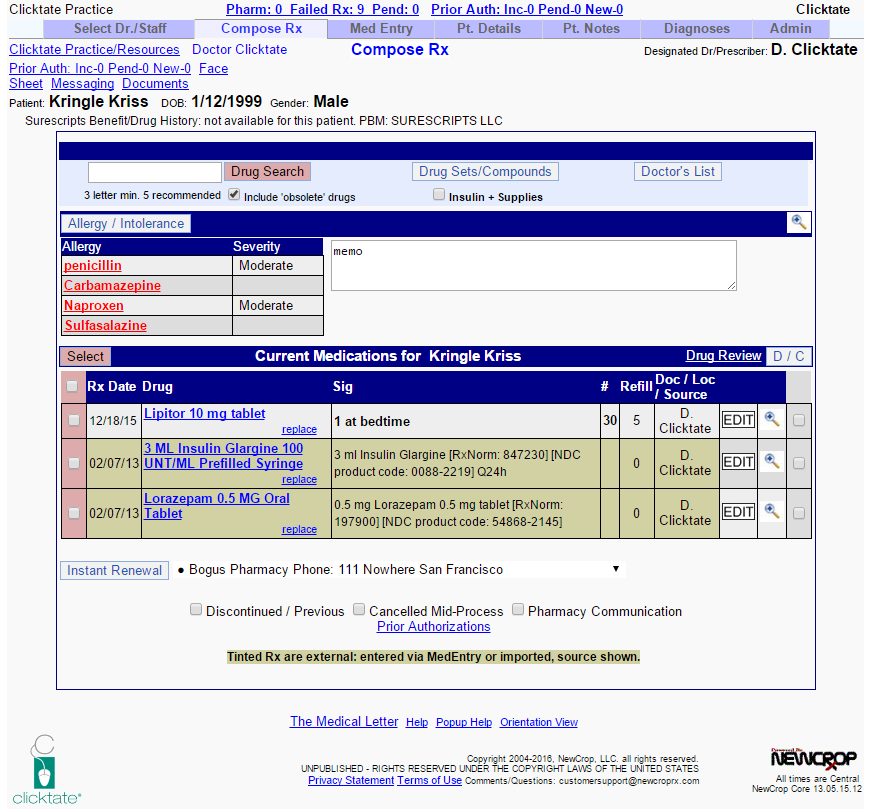
Prescriptions written utilizing the Clicktate.com prescription writing module are at the sole discretion of the provider, and it is the responsibility of the prescribing provider to be aware of the use and indications for the medications prescribed, the possible drug interactions of each prescribed medication, and the particular patients’ profiles for whom medications are prescribed, included but not limited to the possibility of pre-existing medication allergies and prior adverse medication reactions. Cerberus Healthcare, Inc., Clicktate.com, its officers, directors, employees, agents, and information providers disclaim all liability for any medication errors or interactions that may occur while using Clicktate.com or other affiliated prescription writing sites. By electronically agreeing to this “Terms of Service” you agree that: In no event shall Cerberus Healthcare, Inc., Clicktate.com, its officers, directors, employees, agents, and information providers be liable to you or your agents for any losses or damages other than the amount referenced above. Cerberus Healthcare, Inc., Clicktate.com, its officers, directors, employees, agents, and information providers are not liable for any indirect, special, incidental, or consequential damages (including damages for loss of business, loss of profits, litigation, or the like), whether based on breach of contract, breach of warranty, tort (including negligence), product liability, or otherwise, even if Cerberus Healthcare, Inc., Clicktate.com, its officers, directors, employees, agents, and information providers advised of the possibility of such damage.
By electronically agreeing to this “Terms of Service” you agree that: Cerberus Healthcare, Inc., Clicktate.com, its officers, directors, employees, agents, and information providers are not liable for any injury, damage, omission, or loss which occurs directly or indirectly from the use of this system. In addition, Cerberus Healthcare, Inc. and Clicktate.com are not responsible for any errors or omissions which may be perceived to be a part of the system.
As with any printed material or computer program or system, sound clinical judgment by a licensed and competent provider of medical care should be the ultimate guide to patient care, diagnosis, and therapy. This product is not designed to replace this care.
Information placed into Clicktate.com in error, may be removed from the system or moved to an appropriate area of the system upon written request of the provider. An audit log will be generated and maintained to indicate that the information was altered.
Cerberus Healthcare, Inc. and Clicktate.com does not and cannot review all communications and materials posted to or uploaded to Clicktate.com. As such, Cerberus Healthcare, Inc., Clicktate.com, its officers, directors, employees, agents, and information providers are not responsible for the content of these communications and materials. However, Cerberus Healthcare, Inc. and Clicktate.com reserve the right to block or remove communications or materials that it determines, in its sole discretion, to be (a) abusive, libelous, defamatory or obscene, (b) fraudulent, deceptive, or misleading, (c) in violation of a copyright or trademark, other intellectual property right of another or (d) offensive or otherwise unacceptable to Cerberus Healthcare and/or Clicktate.com.
Information entered into Clicktate.com by TRIAL users who have NOT converted to an active account (by returning a Business Associate Agreement and entering valid billing information) will be retained in the system for a period of 14 days after the completion of the trial. After this time, the account will be purged and permanently removed from the system. Clicktate.com is only considered the Electronic Health Record for a practice AFTER a Business Associate Agreement is signed and returned to Cerberus Healthcare, Inc. AND after the provider account has been activated to a full account. Prior to this date, the use of Clicktate.com is considered to be a trial and should not be considered the official medical record for a practice, provider or patient.
Information entered into Clicktate.com by active subscribers will be retained for a period of at least 25 years (28 years from the date of birth for minors) UNLESS the data is transferred in its entirety into another system or some other form and provided to the provider. During this time, at the user’s request, a read-only version of the data will be made available. Cerberus Healthcare, Inc. and Clicktate.com reserve the right to remove the data from our servers after providing the data on appropriate electronic media to the user.
Clicktate.com is an ONC certified electronic medical record and meets the requirements for a Complete Ambulatory EMR (2014) for Stage 2 of Meaningful Use. It is the responsibility of the users to ensure that they are familiar with meaningful use requirements and utilize Clicktate.com in such a way to meet their meaningful use requirements. This includes but is not limited to using all modules of Clicktate.com including electronic prescribing modules and laboratory modules. To meet Meaningful Use requirements, users must be proficient at entering and recording certain data, generating reports and utilizing Clicktate.com to enter patient data into the Electronic Health Record. Cerberus Healthcare, Inc. and Clicktate.com cannot and do not force users to utilize the system in such a way as to ensure that all meaningful use requirements are met and as such we take no responsibility for ensuring that providers meet their individual meaningful use obligations. It is the responsibility of each Provider or Practice to be familiar with methods of meeting Meaningful Use Requirements and reporting (attesting) those requirements as necessary. In addition, Cerberus Healthcare, Inc. and clicktate.com do not warrant or assure that the Clicktate EMR will meet all future Meaningful Use requirements other than those currently certified.
Either you or Clicktate.com may terminate your right to use Clicktate.com at any time, with or without cause, upon notice. Clicktate.com also reserves the right to terminate or suspend your Clicktate.com membership without prior notice, but Cerberus Healthcare, Inc. and Clicktate.com will confirm such termination or suspension by subsequent notice.
Privacy Policy
Our Privacy Policy is designed to assist you in understanding how we collect and use the personal information you provide to us and to assist you in making informed decisions when using our site and our products and services.
What information do we collect?
When you visit our Web site you may provide us with three types of information: personal information you knowingly choose to disclose that is collected on an individual basis, Web site use information collected on an aggregate basis as you and others browse our Web site, and PHI (Protected Health Information) regarding patients and patient care that you obtain and utilize in your day to day activities.
-
Personal Information You Choose to Provide
Registration Information. You will provide us information about yourself, your firm or company, and your practices when you register to be a member of Cerberus Healthcare, Inc. and clicktate.com, register for certain services, or register for email newsletters and alerts. You may also provide additional comments on how you see Cerberus Healthcare, Inc. and clicktate.com servicing your needs and interests. Email Information. If you choose to correspond with us through email, we may retain the content of your email messages together with your email address and our responses.
-
Web Site Use Information
How Do We Use Information We Collect? As you utilize the online resources of Cerberus Healthcare, Inc. and clicktate.com, any information that we collect from you is maintained in the strictest confidentiality. The information is only used to improve service to you via clicktate.com. By gathering information regarding the utilization of clicktate.com including but not limited to such information as time of usage, aggregate amount of usage, number of notes generated, length of documents and number of smart templates utilized, and also by gathering user feedback we are able to constantly improve our Web site and better serve our customers.
-
PHI (Protected Health Information)
As you utilize clicktate.com, you will provide us certain Protected Health Information so that we can assist you in creating patient documentation and maintaining a patient record. We maintain compliance with HIPAA by assuring that your patient information is secured in a secure server site on secure servers maintained with 256-bit SSL encryption. In addition, only those employees and personnel of Cerberus Healthcare, Inc who require access to PHI in order to perform essential functions of maintaining Clicktate and patient health records have access to PHI. PHI is only accessed by personnel of Cerberus Healthcare, Inc. in the capacity of performing essential duties. This information is held in the strictest of confidence and administrative audit logs are maintained and available to customers upon request. A complete copy of our HIPAA policy is available upon request. If you have questions or comments regarding our HIPAA policy, or if you have any concerns or complaints regarding PHI or our HIPAA policy, contact the Medical Director of clicktate.com at 1-888-825-4258 or at info@clicktatemail.info.
-
Sharing Information with Third Parties
We may enter into alliances, partnerships or other business arrangements with third parties who may provide services which could expand or improve clicktate.com, or who are necessary for the routine day to day operation of our business. We also use third parties to facilitate our business, including, but not limited to, sending email and processing credit card payments. In connection with these offerings and business operations, our partners and other third parties may have access to your personal information for use in connection with business activities. As we develop our business, we may buy or sell assets or business offerings. Customer, email, and visitor information is generally one of the transferred business assets in these types of transactions. We may also transfer such information in the course of corporate divestitures, mergers, or any dissolution.
-
Protection of Information
How Do We Secure Information Transmissions? Email is not recognized as a secure medium of communication. For this reason, we request that you do not send private information or PHI to us by email. The information you may enter on our Web site will be transmitted securely via Secure Sockets Layer SSL, 256 bit encryption services, which are enabled by VeriSign, Inc. Pages utilizing this technology will have URLs that start with HTTPS instead of HTTP. Please contact info@clicktatemail.info or by calling 1-888-8click8 if you have any questions or concerns. How Can You Access and Correct Your Information? You may request access to all your personally identifiable information that we collect online and maintain in our database by emailing info@clicktatemail.info or by calling 1-888-8click8. Information will only be sent to you via an address or email that you have previously registered. Certain Disclosures: We may disclosure your personal information if required to do so by law or subpoena or if we believe that such action is necessary to (a) conform to the law or comply with legal process served on us or Affiliated Parties; (b) protect and defend our rights and property, the Site, the users of the Site, and/or our Affiliated Parties; (c) act under circumstances to protect the safety of users of the Site, us, or third parties.
-
Links to other Web Sites
We are not responsible for the practices employed by Web sites linked to or from our Web site nor the information or content contained therein. Often links to other Web sites are provided solely as pointers to information on topics that may be useful to the users of our Web site. Please remember that when you use a link to go from our Web site to another Web site, our Privacy Policy is no longer in effect. Your browsing and interaction on any other Web site, including Web sites which have a link to or from our Web site, is subject to that Web site's own rules and policies. Please review those rules and policies before proceeding.
-
Access to Information
Only those administrative members of Cerberus Healthcare, Inc. who are required to access information in order to maintain or improve the system, perform routine business activities, or to perform security functions will have access to any information on clicktate.com. Other outside vendors may have access to certain information to assist us in our day to day business activities as defined above. A log of all interactions with clicktate.com is maintained for security purposes.
-
Your Consent
By using our Web site you consent to our collection and use of your personal information as described in this Privacy Policy. If we change our privacy policies and procedures, we will post those changes on our Web site to keep you aware of what information we collect, how we use it and under what circumstances we may disclose it.

|
A better way to
practice medicine
|

|
CERTIFIED TO SUPPORT MEANINGFUL USEClicktate 5.0 meets all requirements necessary for Meaningful Use Stage 2 and has been certified as a Complete EHR for ambulatory practices. Features include:
|
Costs and Limitations
Per ONC Requirements    VIA NEWCROP
|
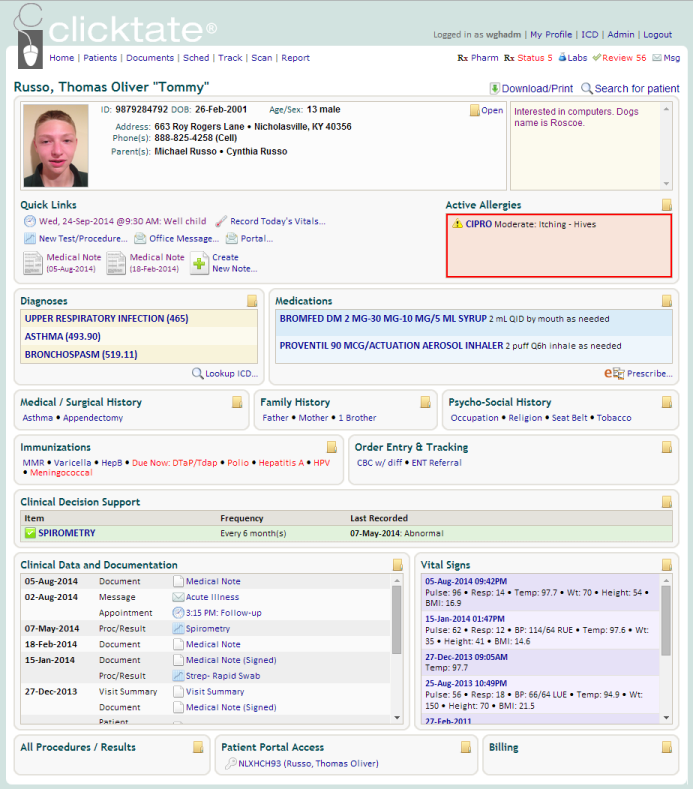
EFFICIENT DATA MANAGEMENTClicktate provides seamless integration between the documentation you create and patient data management. Health data flows automatically between patient documentation and the chart, keeping the health record organized at your fingertips. READY WHEREVER YOU AREBecause Clicktate is web-based, your documentation and patient information is easily retrievable when you need it, where you need it: in the office, an exam room, or anywhere with Internet access. SAVE TIME AND MONEYIf you're like most physicians, you spend countless hours dictating or hand-writing medical progress notes and reviewing transcription. Add to that the cost of your dictation service, or the difficulty reading illegible handwritten SOAP notes, and it's easy to see why medical documentation is one of the least efficient parts of any medical practice. Turn your dictation into Clicktation, and say goodbye to expensive transcription. More information on costs and limitations. |
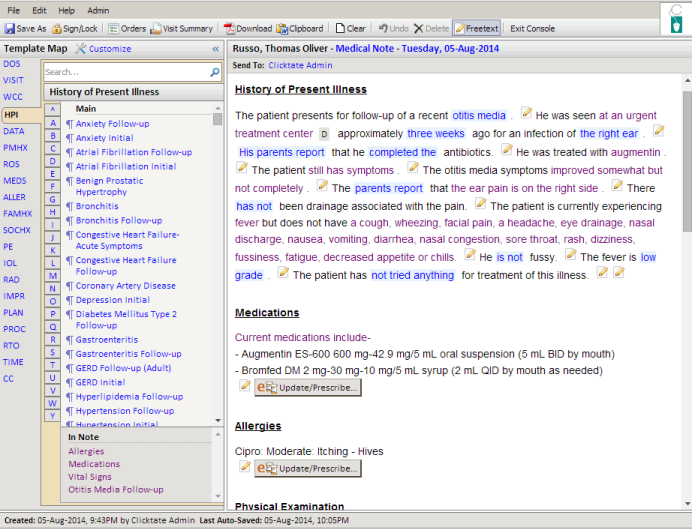
STATE OF THE ART NOTE BUILDERClicktate builds your documents in paragraph form on-the-fly, while interacting with patients. Data entry is amazingly intuitive, and your completed notes will be organized and legible. With over 2,000 templates in our ever-expanding library, you'll find templates for most patient problems that you encounter. And our physician-created templates use real-world defaults for every option to keep your clicks to a minimum. SECURE AND HIPAA COMPLIANTAll Clicktate sessions use Transport Layer Security (TLS 1.2) and 256-bit AES encryption to ensure the safety and security of your medical data. In addition, our servers are protected by advanced anti-virus and anti-malware systems and offer 99.9% uptime. Our server facilities protect your data with HIPAA and HiTech compliant physical, technical, and administrative safeguards. BETTER CARETake a risk-free 14-day trial and you'll see that Clicktate is much more than a means to improve your bottom line. It's a way to give your patients better care. Our solution allow you to focus on what matters most: your patients. |
All rights reserved.
ONC CERTIFIED HIT® is a registered trademark of HHS.
SLI CERTIFIED® is a registered trademark of Gaming Laboratories International, LLC dba SLI Compliance.
| Privacy Policy | Terms of Service | Contact Us | Certification Info |
| YouTube |